Between April and October, we built the two modules that sit on either side of a performance review: 1:1s, where the week-to-week conversation happens, and Talent reviews, where leadership decides what to do with the results. Alongside them: a new home screen and upgrades to Goals, Growth plans, Reviews, Competencies and Recognition.
Early access. 1:1s and Talent reviews are live on request. Contact us, and we'll switch them on for your account. We are still refining both based on early feedback, so expect small changes. Everything else below is live in all accounts.
Home screen
Where: Home, the first page after sign-in. All plans.
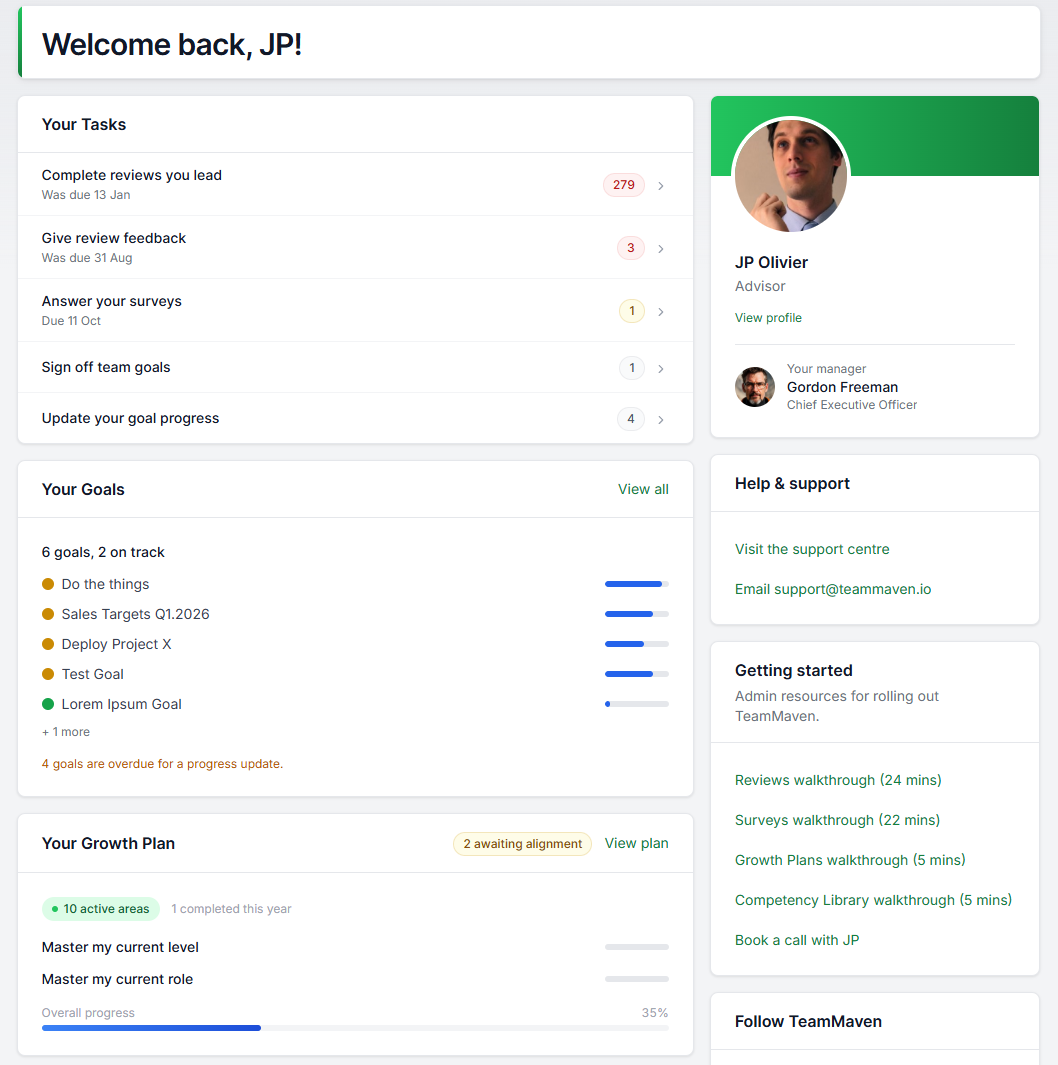
- Widgets. The home page now shows goal progress, growth plan status, recognition activity and more, each linking straight into the work.
- One task list. Everything waiting on you across every module lands in a single prioritised list: reviews to write, goals to update, 1:1s to prepare, talent worksheets to submit. Tasks clear themselves when the work is done.
1:1s (early access)
Where: 1:1s in the main menu, once switched on. Plan: conversations on Starter and Advanced; the cadence report on Advanced.
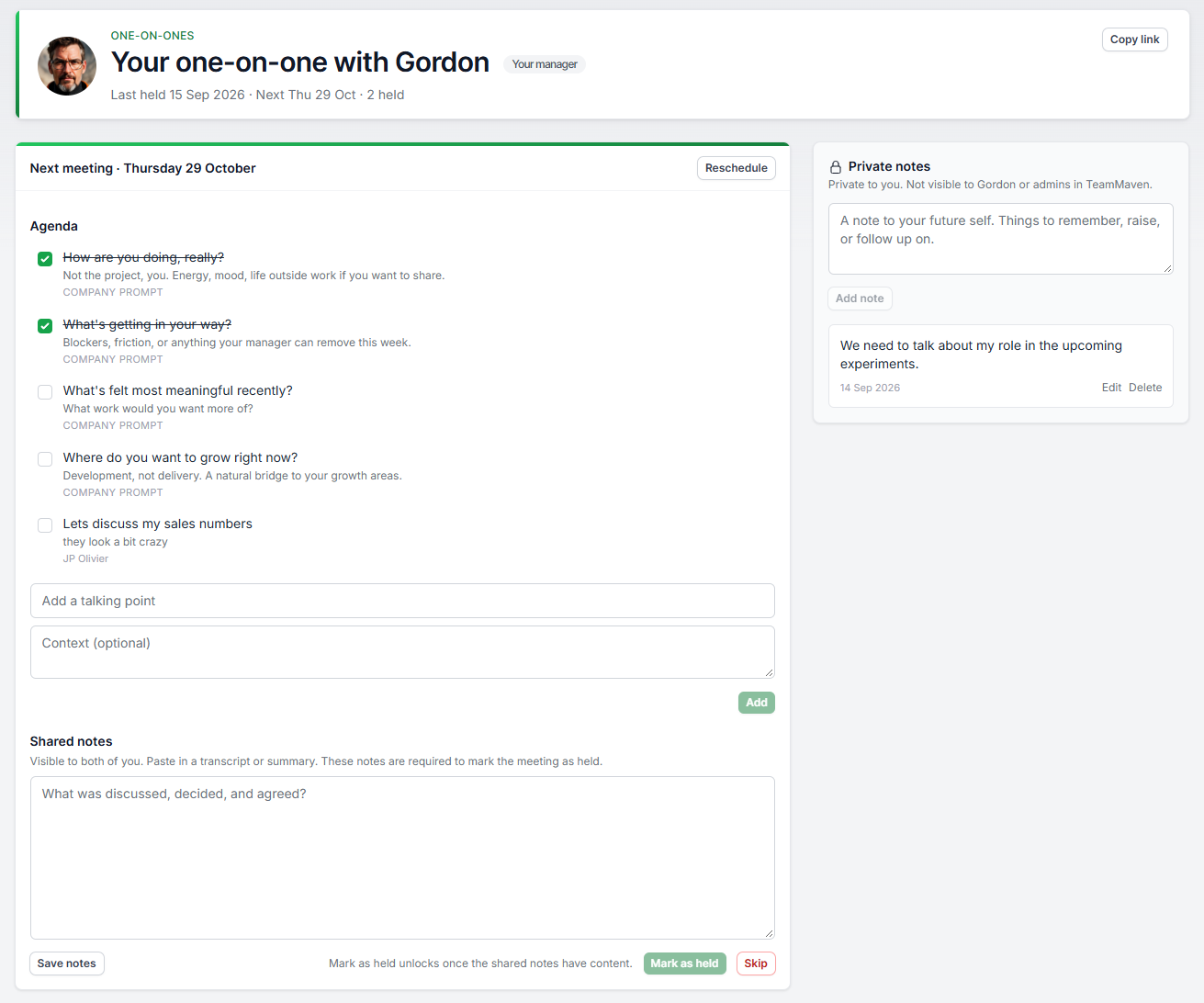
One place for each manager and report to run their 1:1s, instead of calendar invites and private documents.
- Shared agenda, private notes. Each pair has a running agenda both people add to, talking points that carry over to the next meeting, and a private notes space per person that the other never sees.
- Company prompts. Give managers recommended conversation starters. A default set is included, and admins can edit it.
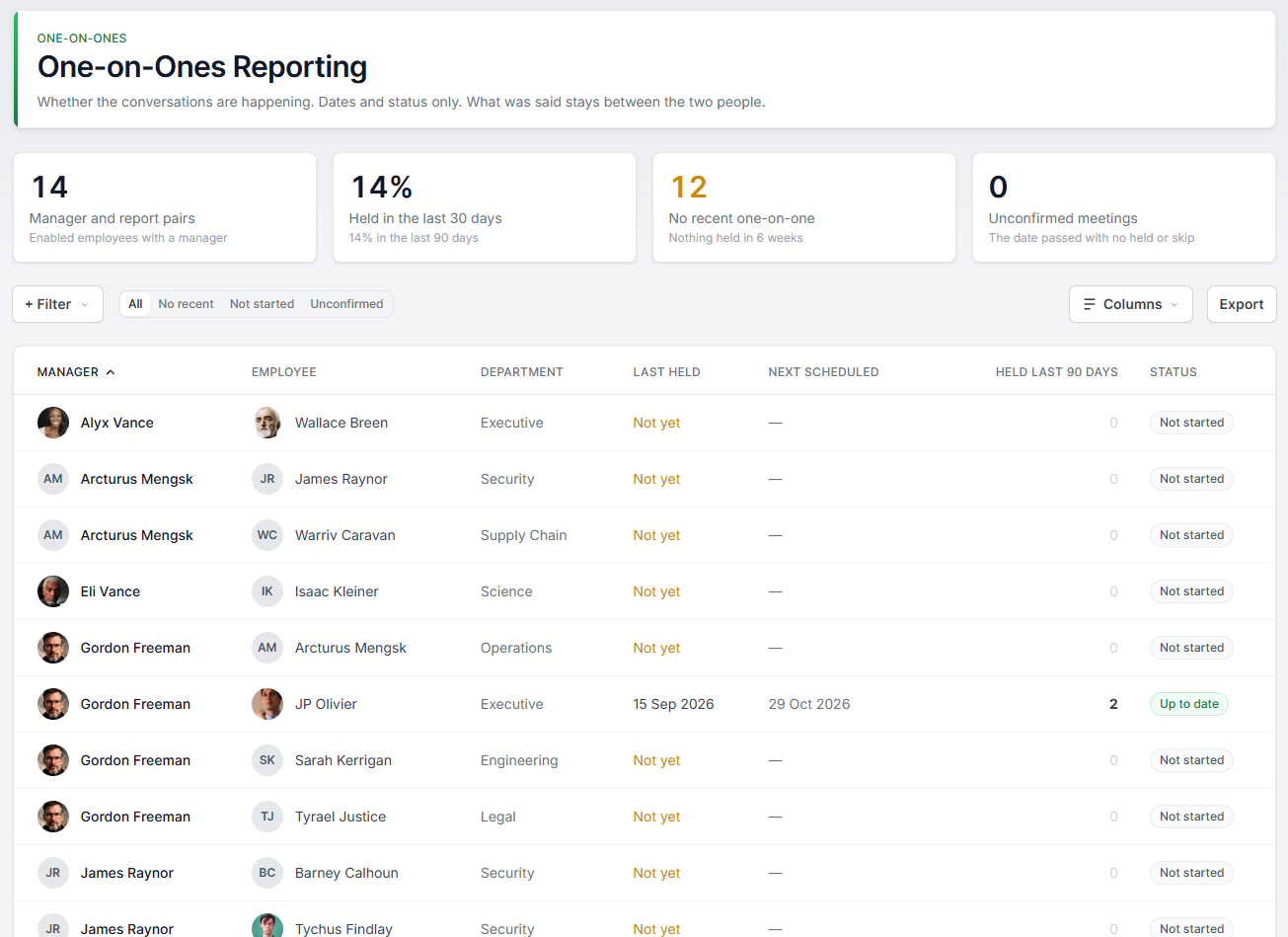
- Cadence report. Shows who is meeting regularly, who has no recent 1:1 and who has never started, with filters and CSV export. It shows whether meetings happen and when, never what was discussed.
- Reporting line changes. When someone changes managers or leaves, the system flags their open 1:1s so they can close them properly rather than letting them disappear.
Talent reviews (early access)
Where: Talent in the main menu, once switched on. Plan: Advanced.
A separate, admin-only module for talent and succession decisions. Manager assessments are separate from performance reviews, never shown to employees, and visible only to HR admins.
- Manager worksheets. Managers rate each team member on performance, readiness, retention risk and impact of loss. Each question has level descriptions, answers autosave, and the person's review history and goals are one click away.
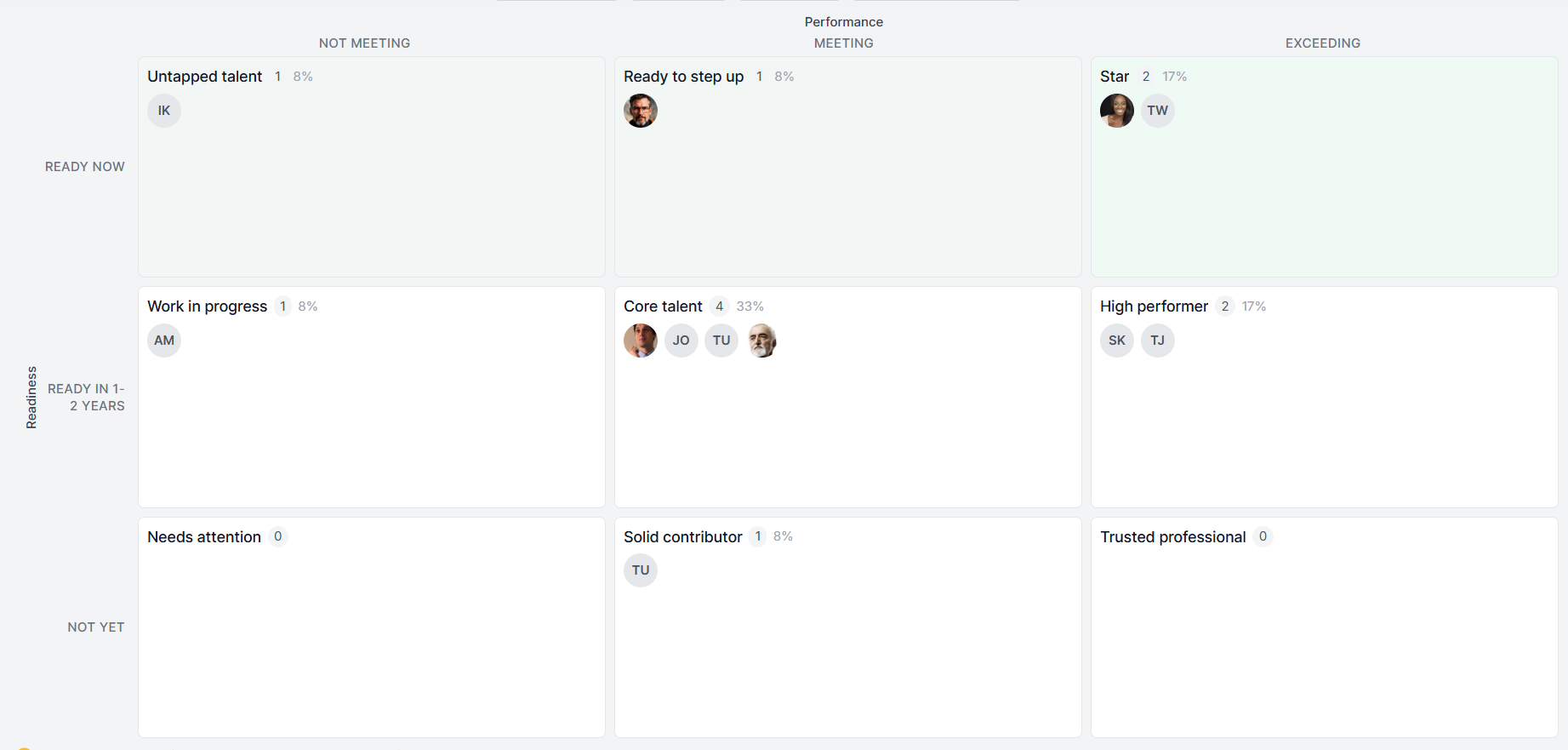
- 9-box calibration. HR and leadership place people on a performance-by-readiness grid with drag-and-drop. Edit grid labels to match your language. Every move requires a note and is logged, so the reasoning survives the meeting.
- Actions per person. Agree successor nominations, retention actions or development plans and track them to done. Actions stay open after the review is finalised.
- Finalising. Freezes placements and the log. CSV export and movement reporting show how placements changed during calibration.
Reviews
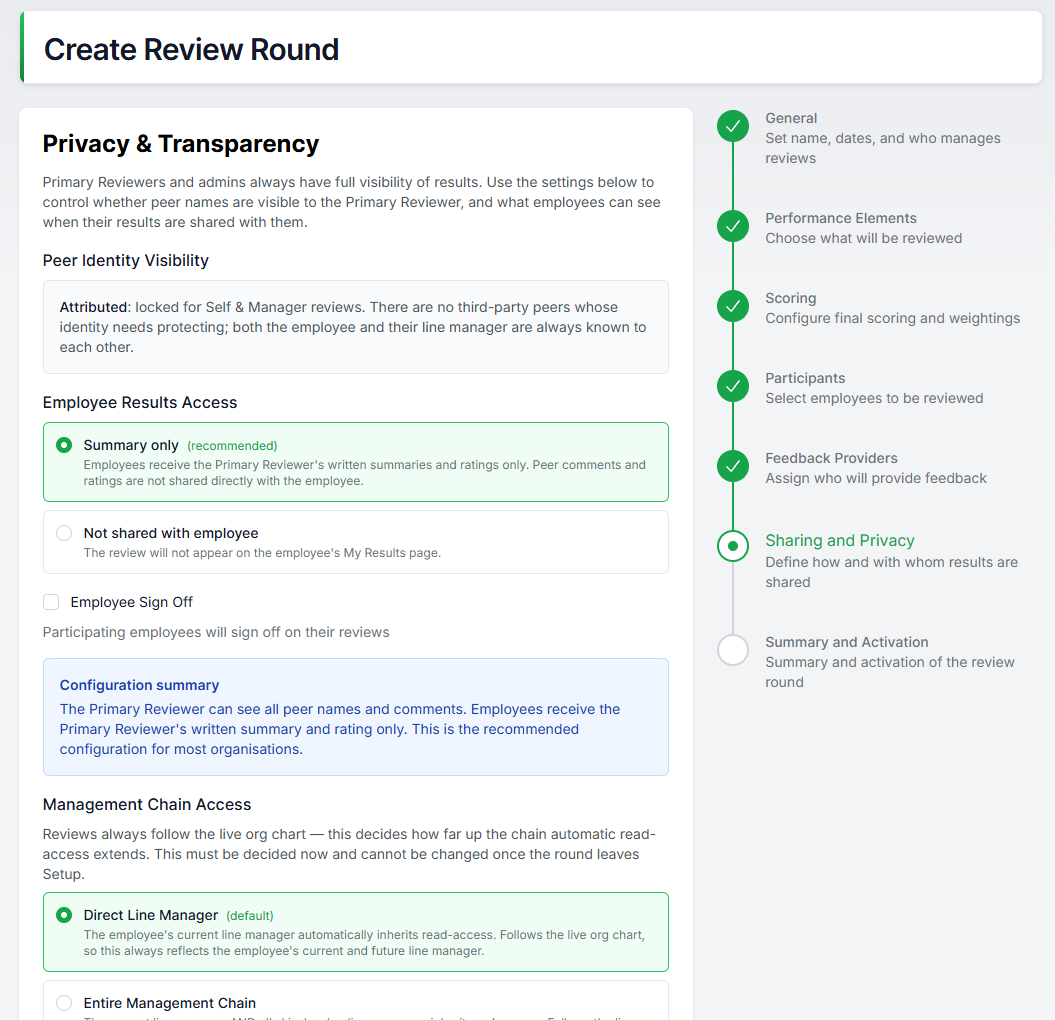
Where: Reviews, in round settings and on the review form. All plans.
- Rating scale descriptions. Each rating option can carry a description, shown as a tooltip where people rate. Apply a predefined scale to a question in one step, and block duplicate option values.
- Rating visibility. Choose per round whether employees and managers see rating labels only, keeping the numeric scores for admin and talent reporting.
- Manager guidance toggle. Choose per round whether managers see the calculated rating guidance.
- Final summary required. A review cannot leave drafting without a final summary, so results pages are never empty.
- Sign-off wording. Statuses, badges and banners now say whose move it is. Employee sign-off is an acknowledgement; manager sign-off confirms the conversation happened.
- Also: reviewer terminology is consistent across the product, changing a round's end date now updates all its due dates, and calibration views have employee search.
Goals
Where: Goals; set the check-in cadence in organisation settings. All plans.
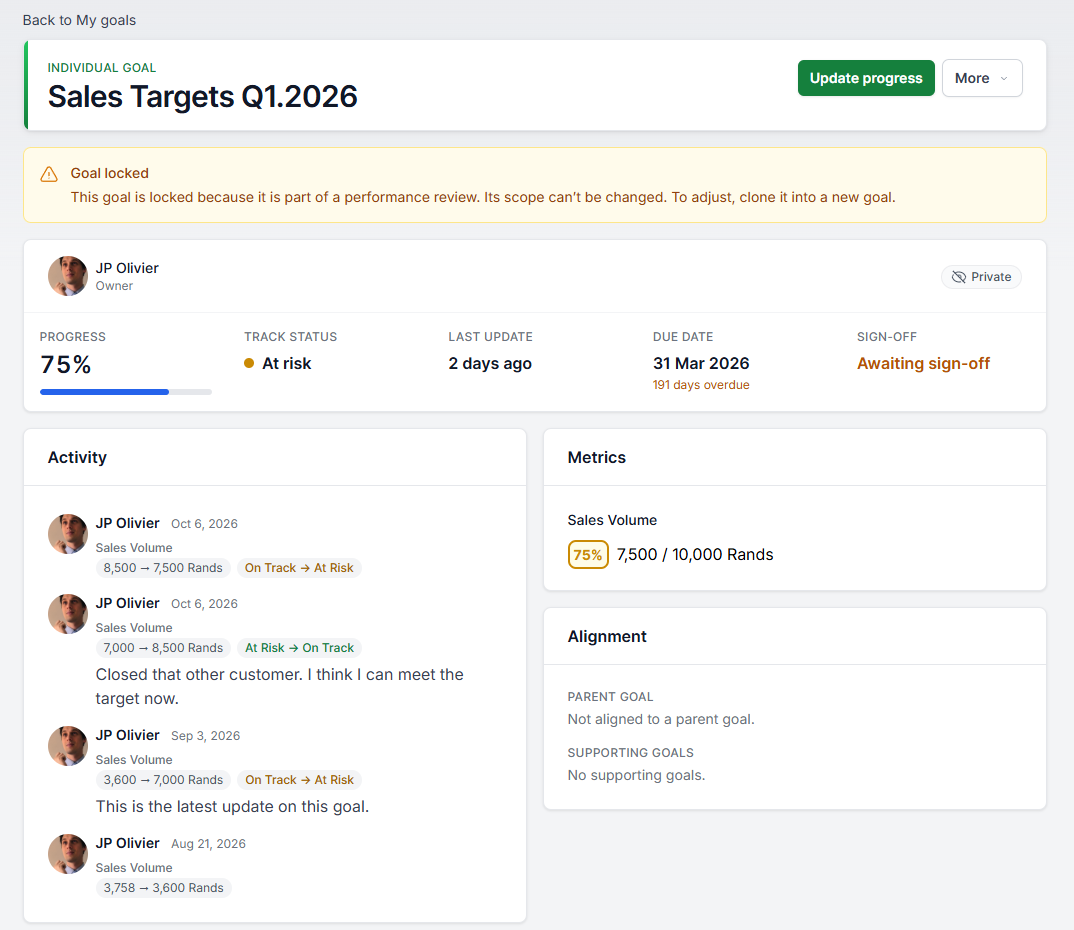
- Check-ins with history. Every progress update is a logged check-in with an optional comment. Open any goal to read how it reached its current number, not just what the number is.
- Check-in cadence. Set an expected check-in cadence for your organisation. Flag goals that fall behind on cards, boards, and reports, and give owners a home task to update them.
- Redesigned pages. My goals and Team goals are now worst-first lists, with a snapshot band at the top. The goal page and the update drawer show a live progress preview.
- Reporting. Date-window filtering, choose-your-own columns on the goal board (including demographics), and check-in freshness breakdowns.
Growth plans
Where: Growth; admins find the dashboard under Growth. Plan: Starter and Advanced.
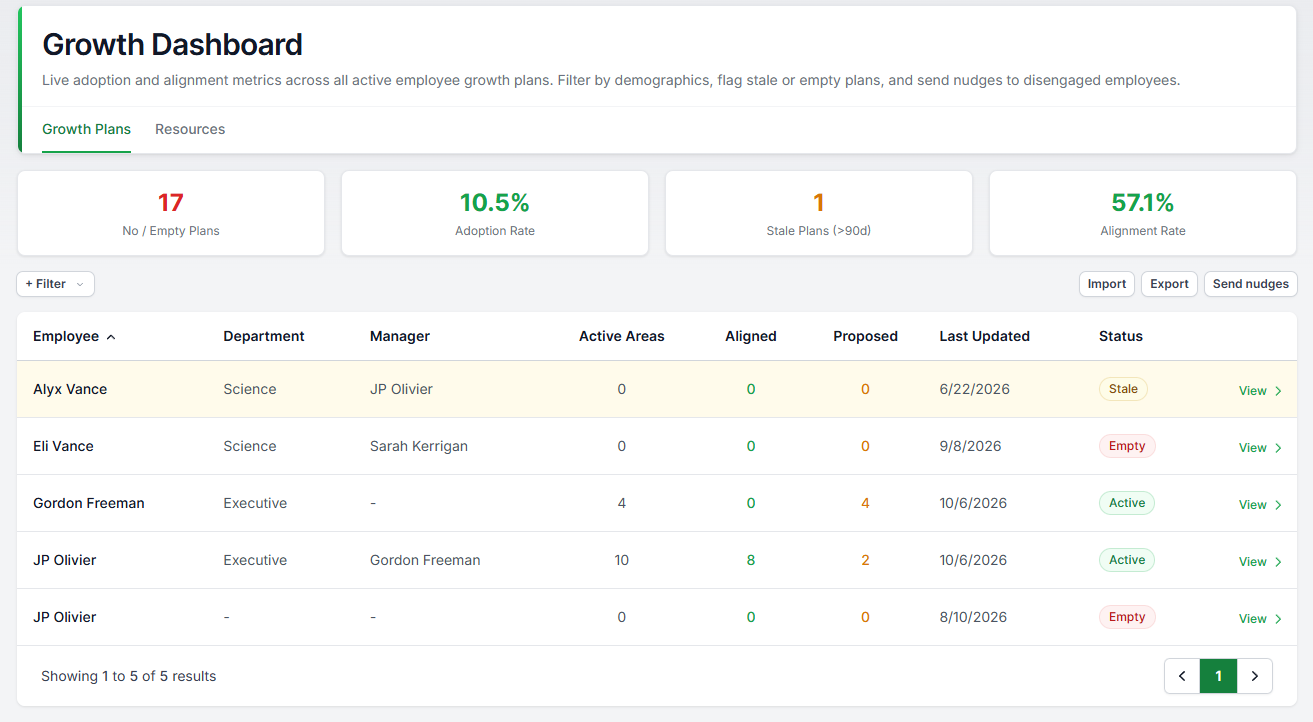
- Growth goals are now growth areas. A rename across all pages, copy and reports. Growth areas are ongoing development themes rather than tick-box goals. Existing plans are unchanged apart from the name.
- Resource requests. Employees can request what they need for a growth area (a course, coaching, a mentor, a book). Requests roll up into a resources dashboard so admins can plan development spend from real asks.
- Nudges from the dashboard. Admins can email employees with empty or stale plans directly from the growth dashboard.
- Next-step prompts. After review results are released, employees see a prompt linking their feedback to their growth plan, and a home task when their plan needs attention.
- AI growth ideas (early access). Employees can generate suggested growth areas to react to instead of starting from a blank page.
- CSV import and export for growth areas.
Competencies and job roles
Where: Competencies and Job roles in organisation settings; the role explorer and comparer on the employee side. Plan: Advanced.
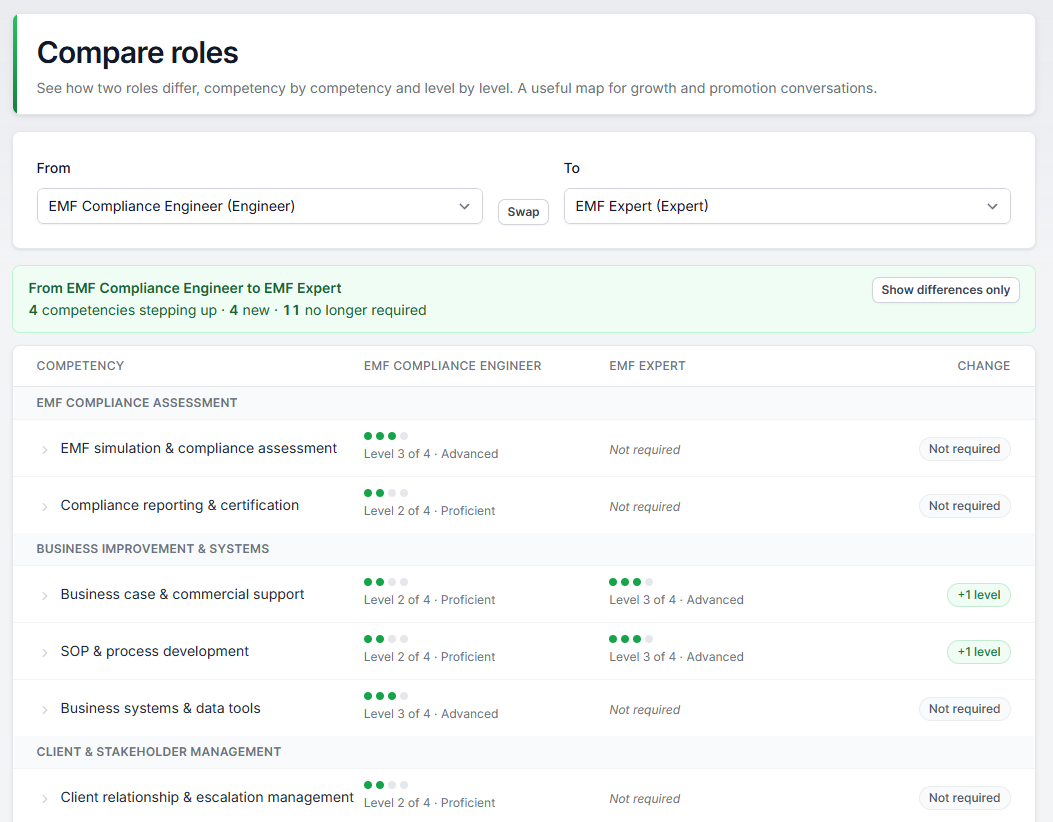
- Role comparer. Put a current role side by side with any other and see exactly which competency levels differ. The "what would it take?" question, answered on one screen.
- Employees can explore job roles. An optional toggle opens the role library to everyone, a first step toward transparent career paths. Off by default.
- Where is this used? Every competency now shows its usage across roles and reviews before you edit it.
- Behavioural anchors (BARS). Define what each rating score looks like per competency, shown where feedback is given.
- Also: level meters in the role editor, CSV import and export for role mappings, and configurable default level labels.
Recognition
Where: Recognition reporting, for admins. All plans.
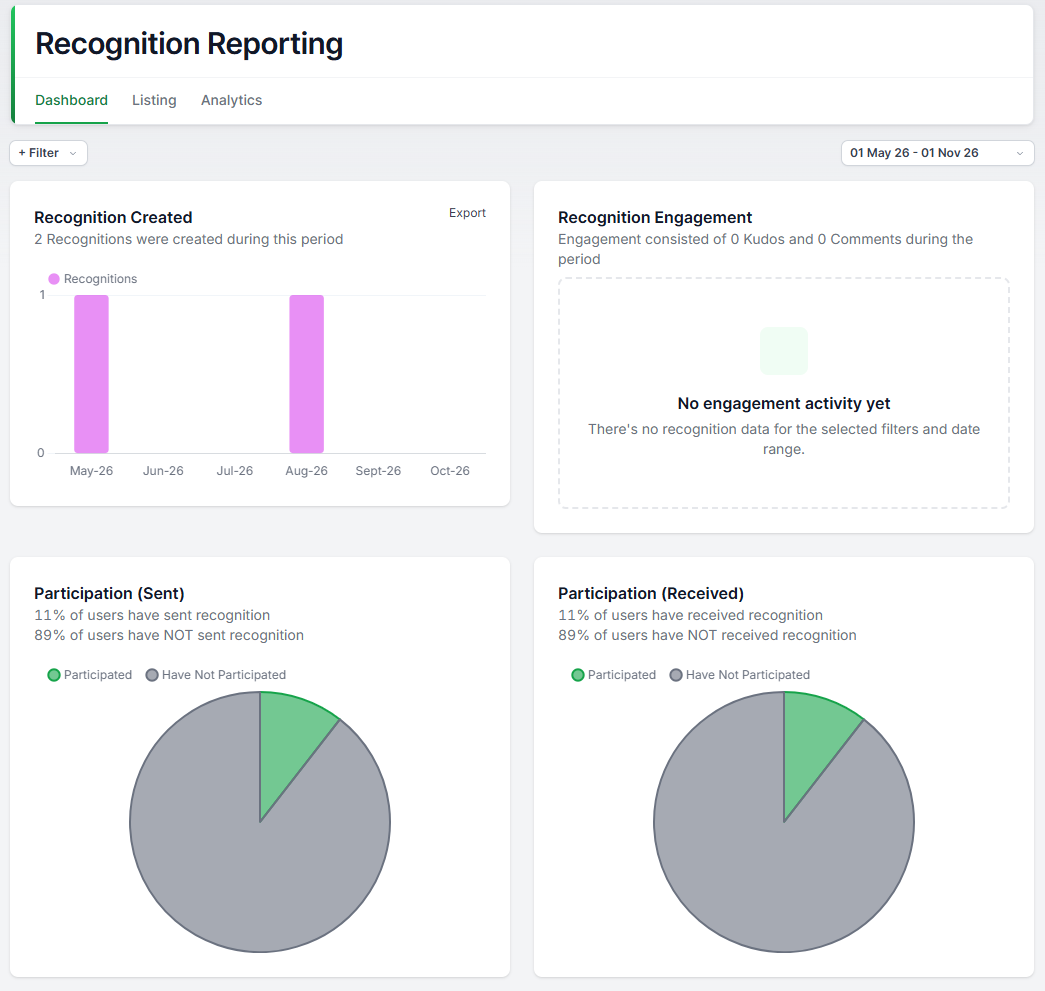
- Reporting. Participation and activity dashboards with demographic filters, CSV exports throughout, cleaner charts and proper empty states.
Integrations and IT
Where: Integrations and AI settings in organisation settings.
- OAuth2 connections. Integrations can now connect to Microsoft Entra ID (Active Directory) and Salesforce via OAuth2 for user imports. No shared secrets to store or rotate.
- AI usage report. Admins can see how AI features are being used across the organisation, with built-in usage guards. AI features can be switched off for your organisation at any time.
Across the platform
- Refreshed interface. A consistent design across every module: tables with sorting and pagination, better dark mode, improved accessibility.
- Org chart focus view. Zoom into any team without losing the rest of the chart.
- We reorganised Organisation settings into clear tabs with descriptions, including SSO and sensitive demographics controls.
What's next
Our focus to the end of the year is taking 1:1s and Talent reviews from early access to general availability, shaped by feedback from the accounts using them now.
To switch on either module, or anything above that is not yet in your account, email support@teammaven.io and we will enable it the same day.
Was this article helpful?
That’s Great!
Thank you for your feedback
Sorry! We couldn't be helpful
Thank you for your feedback
Feedback sent
We appreciate your effort and will try to fix the article