Admins get two dashboards for the Growth module. The Growth Dashboard shows whether growth plans are being used and kept up to date. The L&D Dashboard shows what learning and development support your people are asking for. Both live under Growth > Growth Dashboard, as two tabs on the same page.
Growth Dashboard
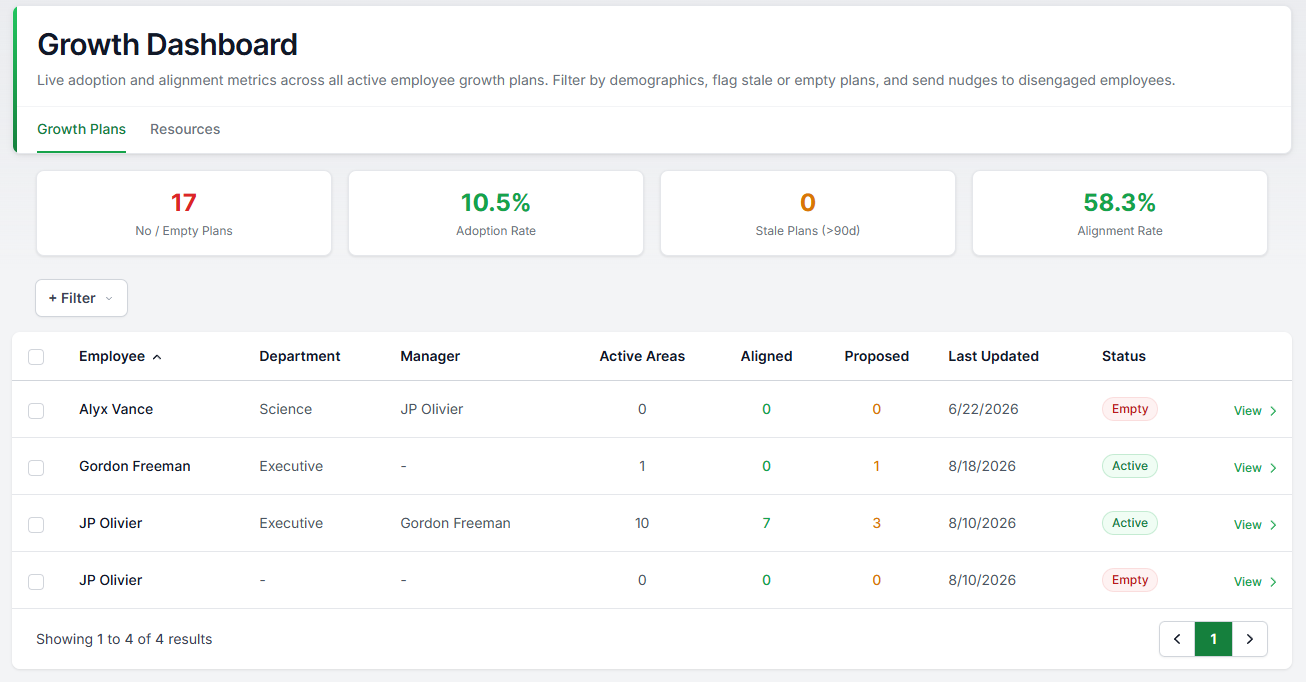
The dashboard opens with four numbers, calculated live from current data:
- Adoption Rate. The percentage of active employees who have at least one active growth area on their plan. This is your headline number for whether the module is being used.
- Alignment Rate. The percentage of growth areas that a manager has signed off in their current form. Dropped and archived areas are left out. A low number usually means managers are sitting on proposals.
- Stale Plans. Plans with no activity for over 90 days. Any edit counts as activity, including ticking off an action step.
- Empty Plans. Plans with no active growth areas at all.
Below the metrics is a grid with one row per employee: how many active, aligned, and proposed areas they have, when their plan was last updated, and whether it is stale or empty. You can filter by department, location, or manager to find where things are lagging.
Two things you can do from the grid:
- Nudge. Select employees with stale or empty plans and send them a reminder.
- Open a plan. Click through to a read-only view of any employee's plan.
L&D Dashboard
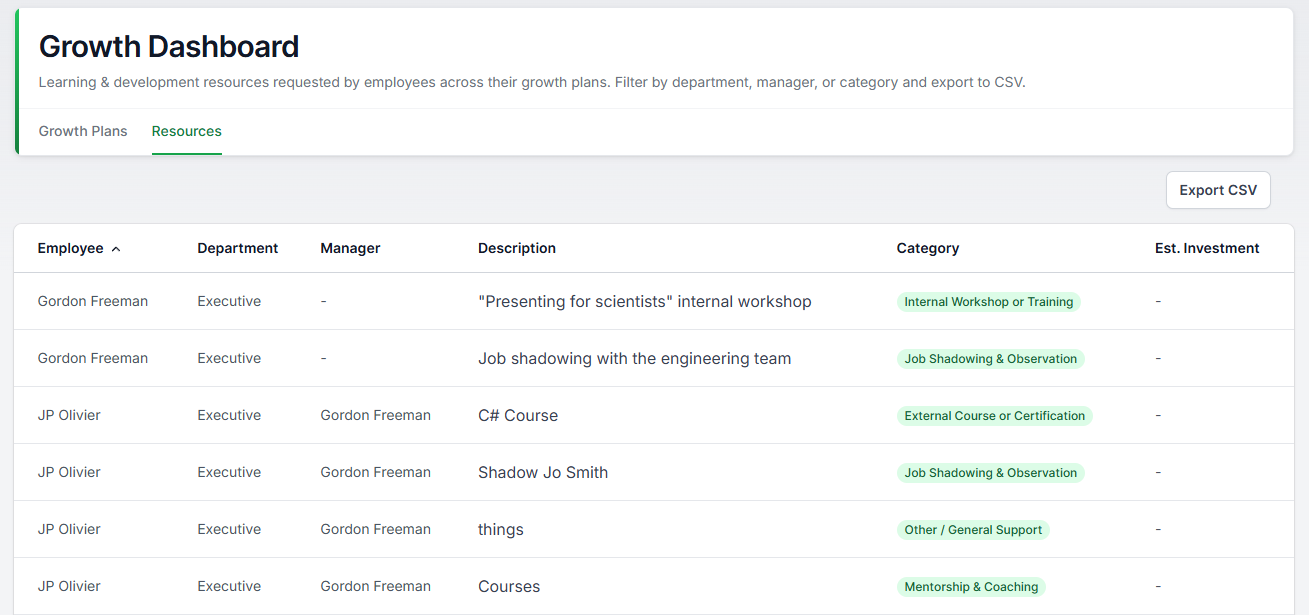
The L&D Dashboard lists every support resource across all growth plans in your organisation. It is the demand side of your L&D budget: what courses, books, coaching, and training your people say they need.
- Filter by department, location, resource category, or manager.
- Categories follow the 70-20-10 learning model, split between exposure (like mentorship and job shadowing) and education (like courses and books).
- Each resource can carry an estimated cost, so you can total up rough demand per team or category.
- Use Export to download the list as a CSV for budget planning.
A note on privacy
These dashboards show plan activity and resource requests. Managers and admins can read the plans of the people in their scope, and that is by design: growth plans work through conversation, not secrecy. If employees ask, the honest answer is that their growth plan is visible to their manager chain and to admins, and it is never part of their performance review.
Was this article helpful?
That’s Great!
Thank you for your feedback
Sorry! We couldn't be helpful
Thank you for your feedback
Feedback sent
We appreciate your effort and will try to fix the article