Reviewing your team's growth areas
As a manager, you review and sign off on the growth areas your team members propose. This article covers where to find them and what aligning means. For how plans work in general, see Your Growth Plan.
Where to find your team's plans
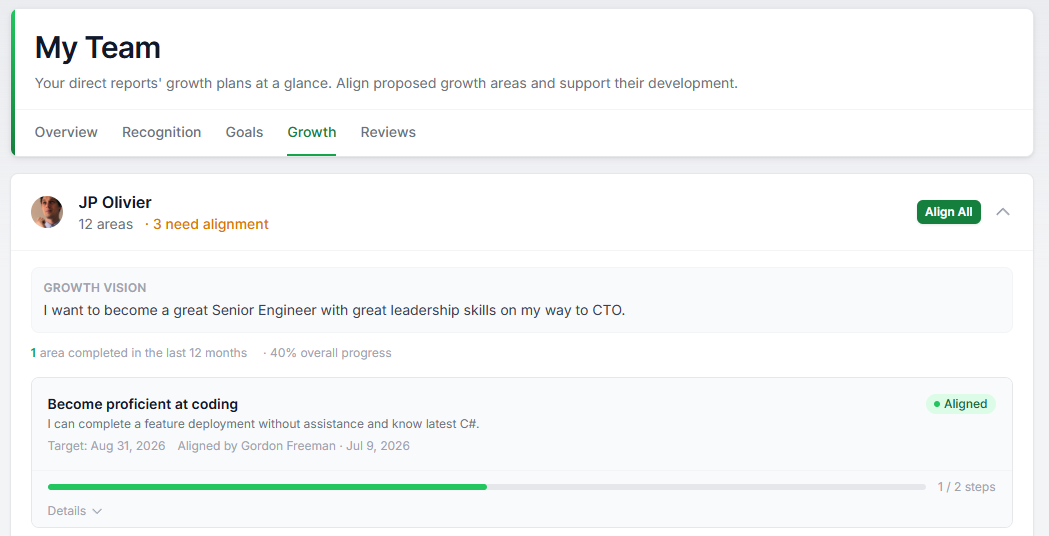
Go to People > My Team > Growth. You will see each direct report's Growth Vision and all of their growth areas, including completed and dropped ones. That full picture is useful in one-to-ones.
When team members have growth areas waiting on you, an Align growth areas task also appears on your home page, so you will not miss them.
Reading the badges
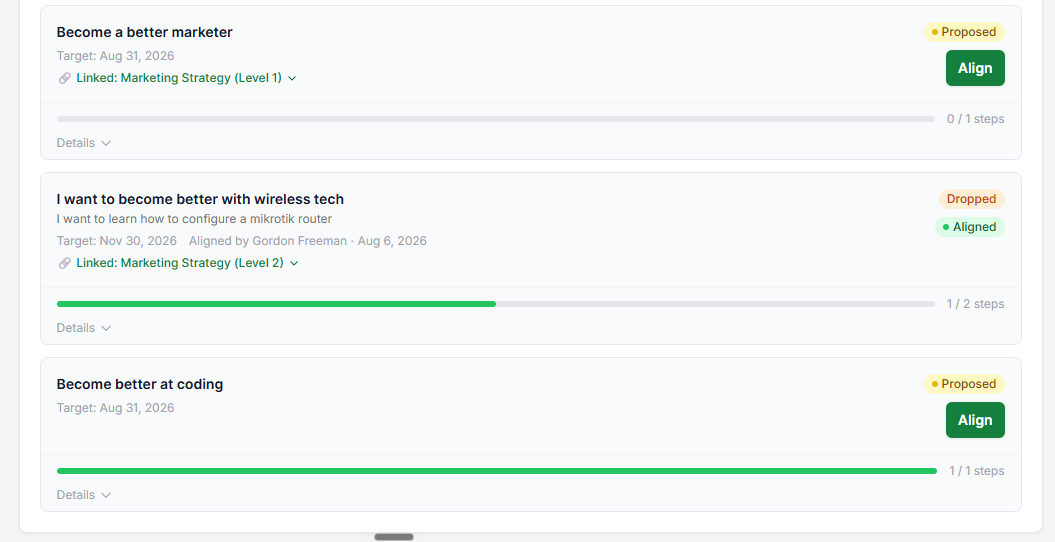
Each growth area carries two badges. One shows where it is in its life: Active, Completed, or Dropped. The other shows alignment:
- Proposed. New, waiting for your review.
- Modified. You aligned it earlier, but the employee has since changed the title or target date. Take another look.
- Aligned. You have signed off on the current version.
You may also see a grey Never aligned badge on a completed or dropped area. That means it was closed out before anyone reviewed it. It is worth a mention in your next one-to-one.
Aligning a growth area
Aligning means "I have seen this, and it is the right thing to work on." Click Align on any proposed or modified area. If someone has several waiting, Align All Proposed signs them all off in one click.
A few things worth knowing:
- Only the direct manager and admins can align. People cannot align their own areas.
- Aligning does not lock anything. Your team member keeps editing their plan as normal. If they change the title or target date later, the area simply comes back to you for a re-check.
- Alignment is not a rating. Growth areas are separate from performance reviews and do not feed into them.
What good looks like
Review new growth areas within a week or so. A proposal that sits unreviewed signals that development is not a priority.
Use one-to-ones to talk through the Review Queue, then archive areas you have discussed.
If a growth area misses the mark, do not align it silently or ignore it. Talk it through and help reshape it. The alignment step works best as a conversation, not a checkbox.
Was this article helpful?
That’s Great!
Thank you for your feedback
Sorry! We couldn't be helpful
Thank you for your feedback
Feedback sent
We appreciate your effort and will try to fix the article