TL;DR: Admins can reply to your written feedback to ask for clarification, but they never see who you are. The system acts as a Secure Private Relay, passing messages back and forth without revealing your identity or email address.
The "Secure Relay" System
When an admin replies to your survey comment, they are not emailing you directly. They are messaging TeamMaven, and our system relays the message to you.
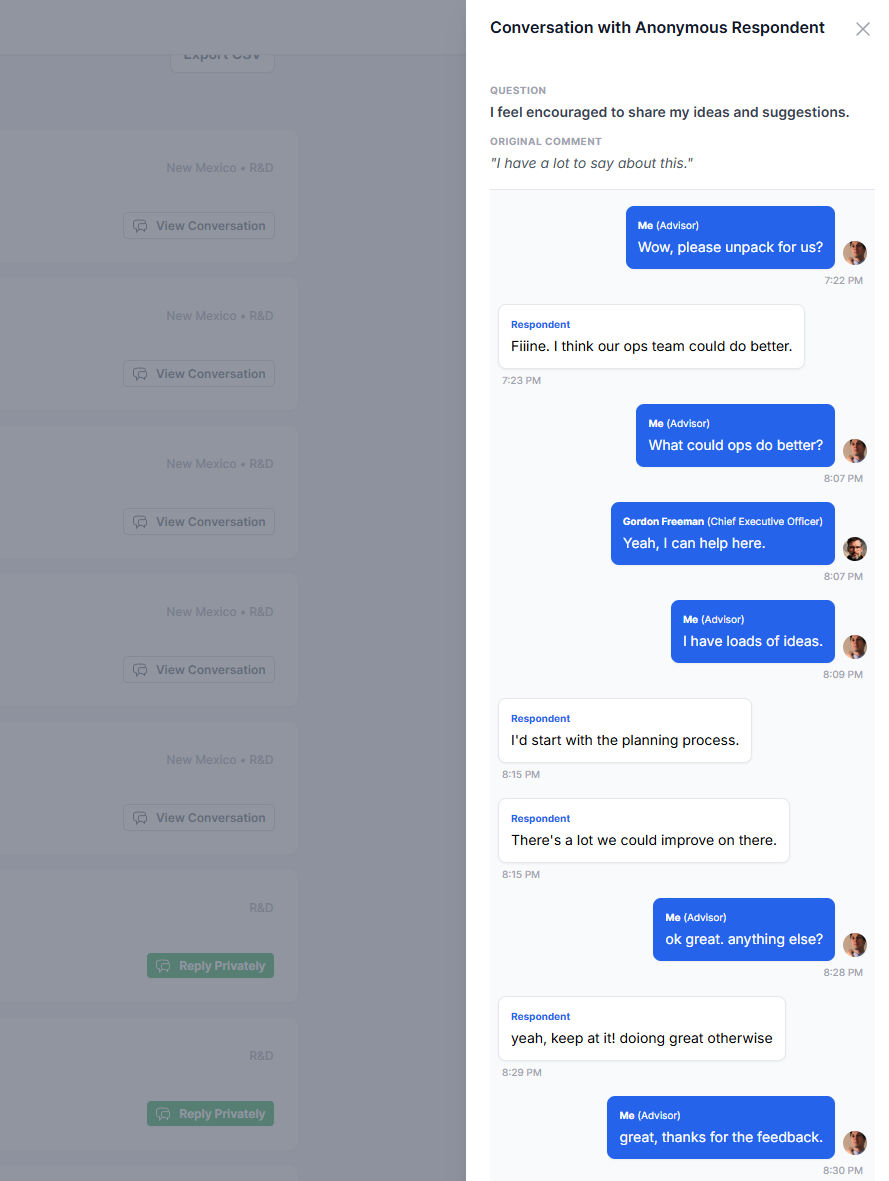
- Admin replies: They type a message to "The Respondent" in their dashboard.
- System relays: We look up your email securely and send you a notification.
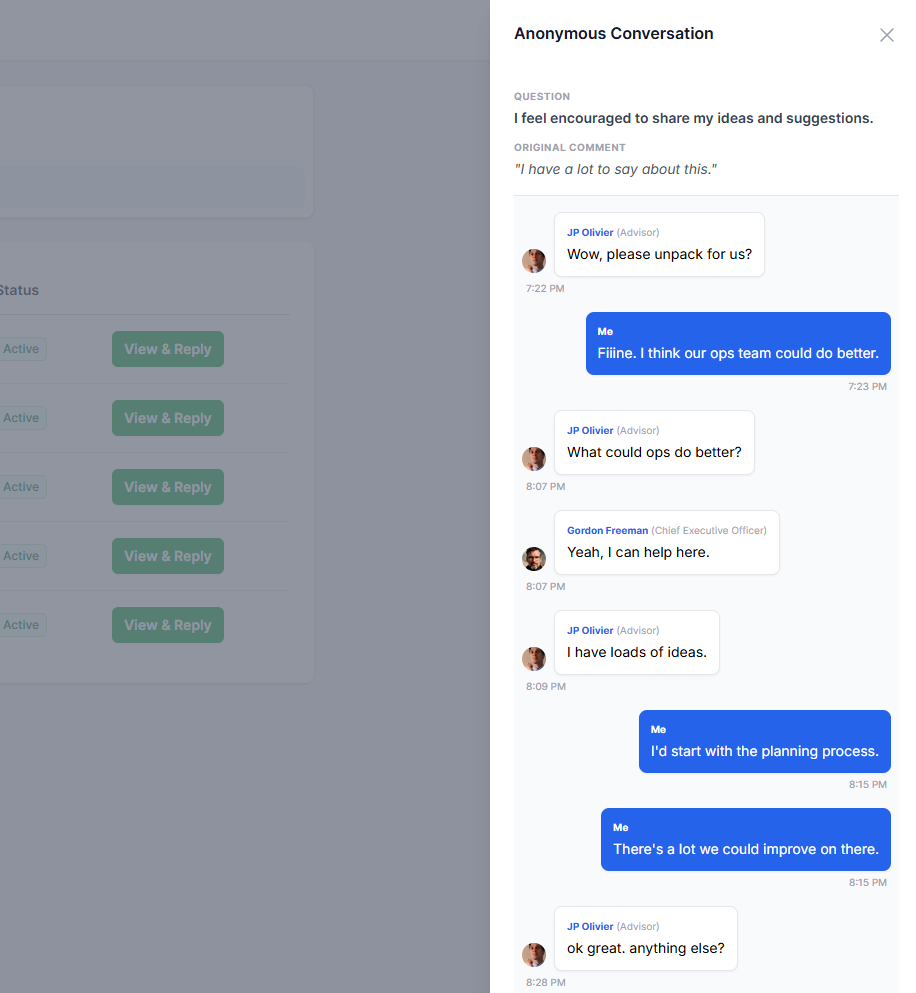
- You reply: You click a secure link to reply. Your response is sent back to the dashboard under your alias.
At no point does the administrator see your name, email, or profile picture. To them, you are simply "The Respondent".
Why is the Admin's name visible?
You will notice that while you are anonymous, the admin's name and job title are visible (e.g., "Sarah Jenkins, Head of People").
This is intentional. We believe that if an admin asks you for more information, they should demonstrate accountability by identifying themselves. This ensures you know exactly who you are talking to, even though they do not know who you are.
You are in control
This feature is designed to give you a voice, not to pester you.
No Pressure: You are never required to reply to a follow-up question.
Conversation from Admin's perspective
Conversation from The Respondent's perspective (Anonymous)
Was this article helpful?
That’s Great!
Thank you for your feedback
Sorry! We couldn't be helpful
Thank you for your feedback
Feedback sent
We appreciate your effort and will try to fix the article